次の工程を、そのたびに確認しているYou keep checking what comes next
手順書とタイマーを行き来する小さな中断が、作業のリズムを崩します。Switching between instructions and a timer interrupts the rhythm of your work.
 WorkTimer工程タイマー
工程がある作業のためのタイマーA timer built for step-by-step work
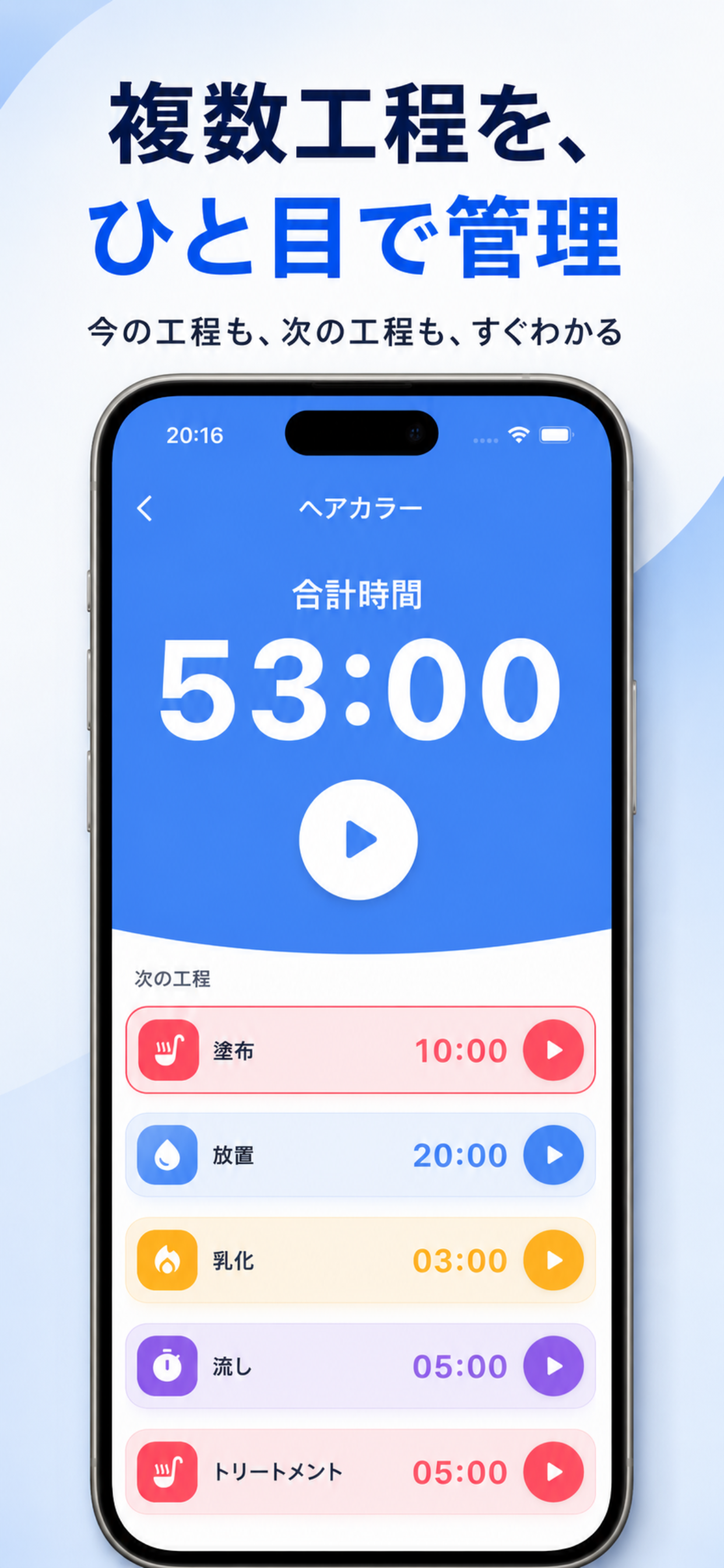
今の工程、次の工程、残り時間をひとつの画面に。WorkTimerなら、くり返す作業を見失わず、テンポよく進められます。Current step, next step, and remaining time—together on one screen. WorkTimer keeps repeatable workflows clear and moving.
BEFORE WORKTIMER
工程が増えるほど、タイマーをかけるだけでは足りなくなります。As steps multiply, a basic timer is no longer enough.
手順書とタイマーを行き来する小さな中断が、作業のリズムを崩します。Switching between instructions and a timer interrupts the rhythm of your work.
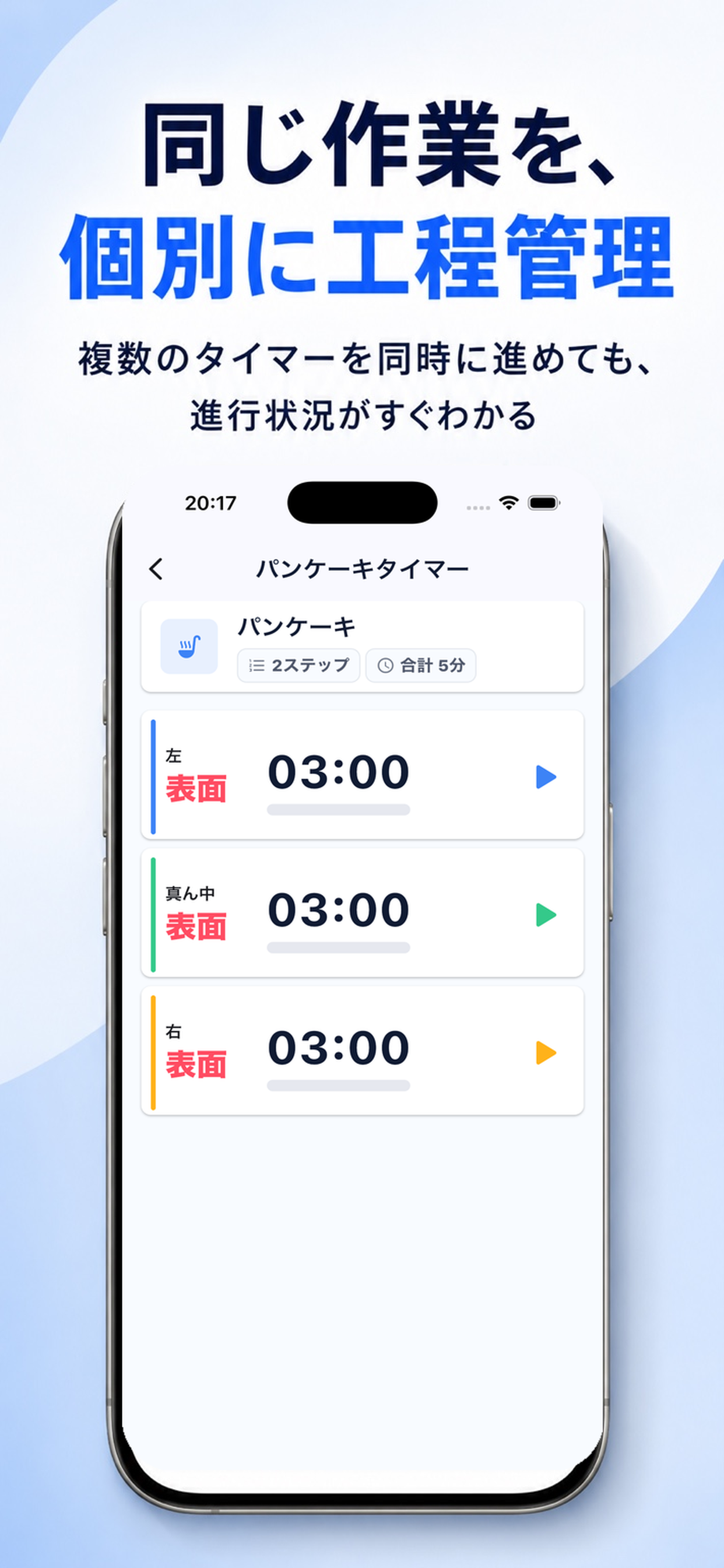
少しずつ開始時刻が違う作業は、一般的なタイマーでは全体が見えません。Ordinary timers make staggered workflows hard to see as a whole.
何回・何分かかったかが残れば、見積もりや改善の手がかりになります。Counts and durations give you a practical basis for estimates and improvement.
DESIGNED FOR FLOW
工程作業に必要なことを、ひとつの流れにまとめました。Everything step-based work needs, shaped into one clear flow.
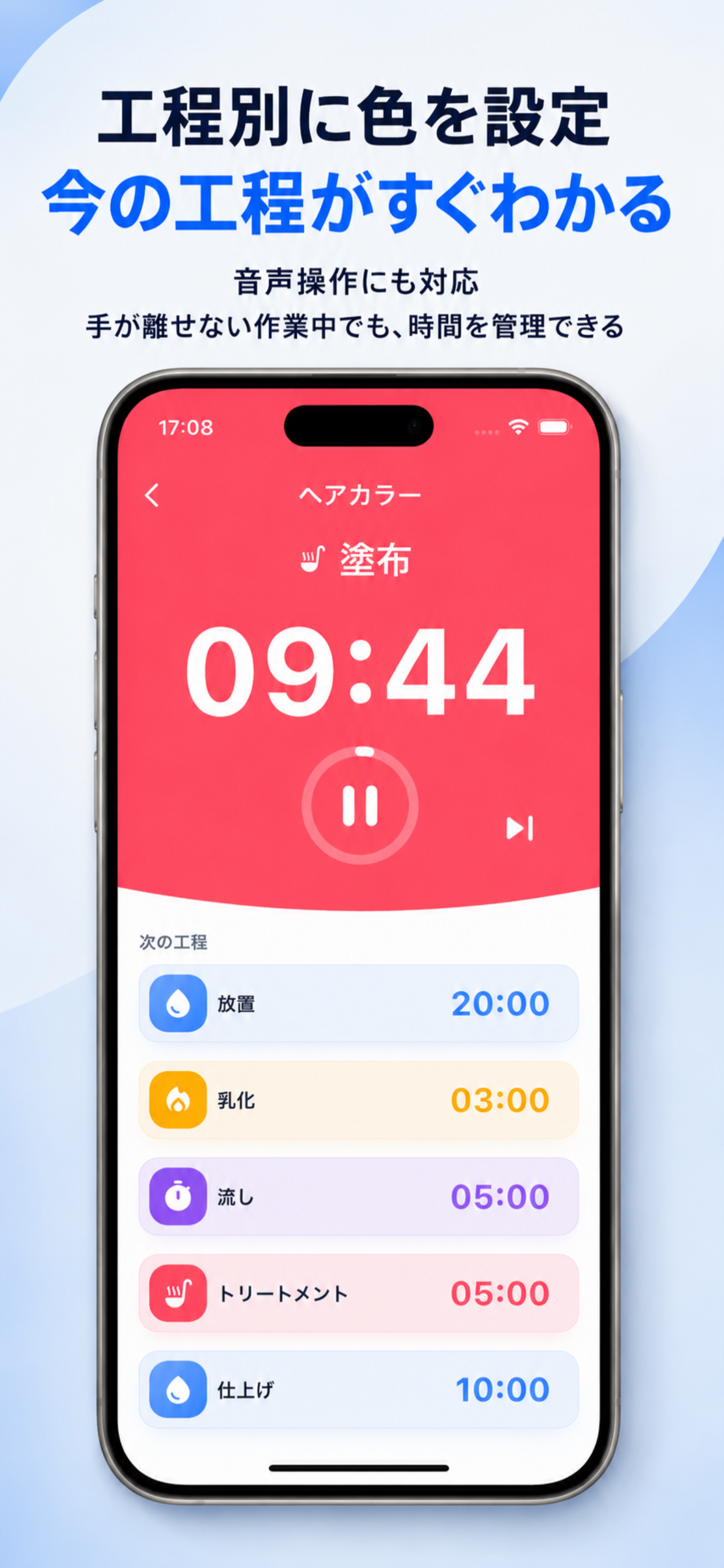
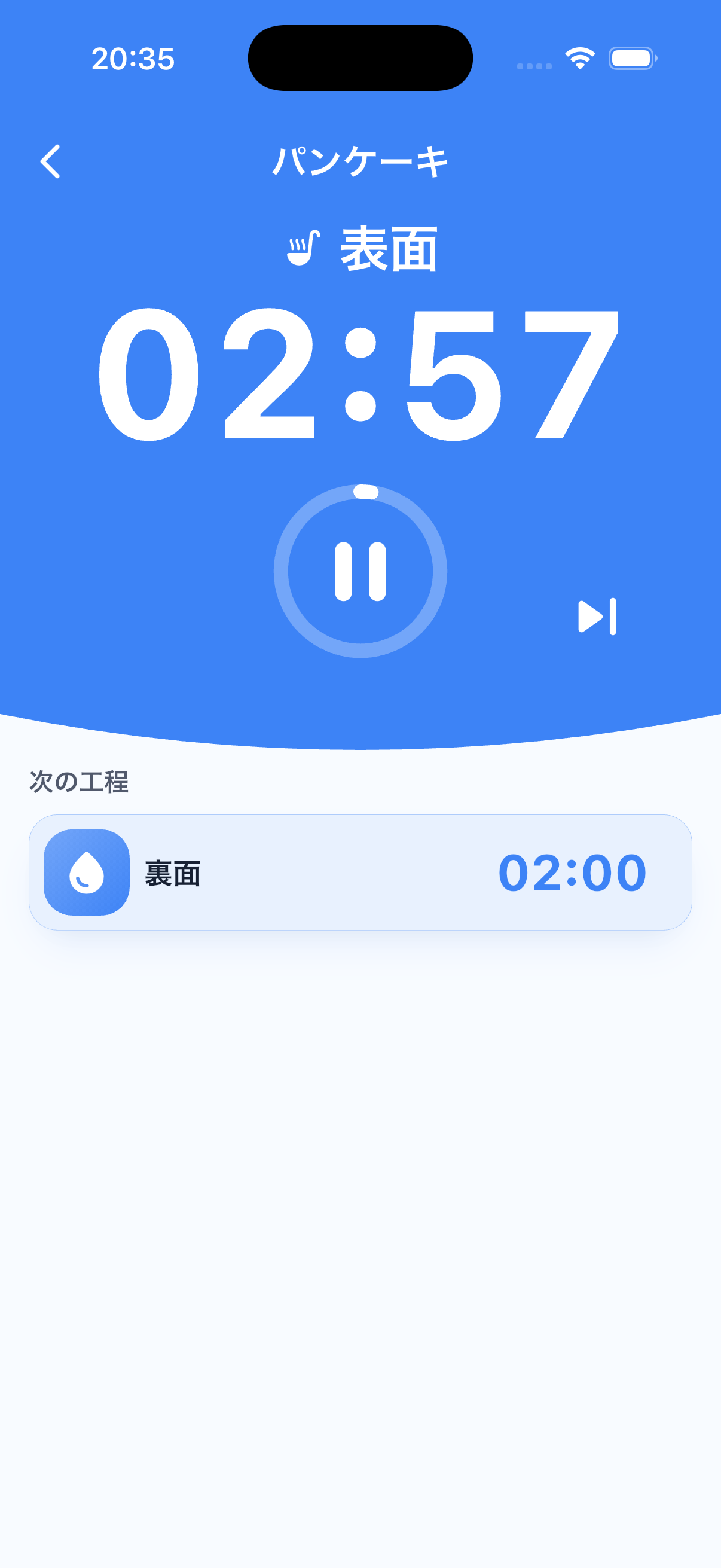
工程ごとに色とアイコンを設定。大きな残り時間と次の工程を同じ画面で確認できるから、作業の途中で迷いません。Give each step a color and icon. A large countdown and the next step stay visible together, so you never lose your place.
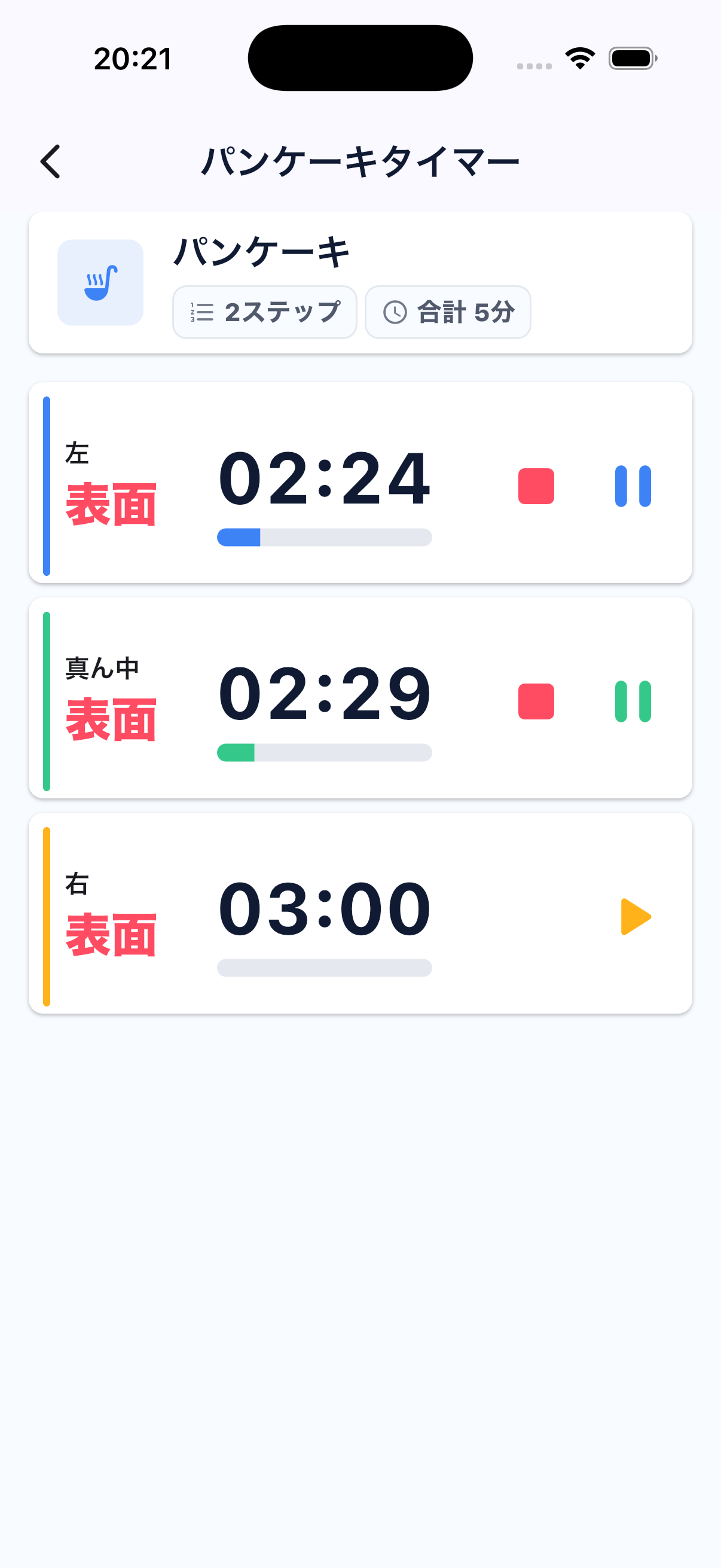
開始時刻が少しずつ違う複数の対象も、1画面で一覧管理。セッションごとに開始・一時停止・停止できます。Manage several items with staggered start times on one screen. Start, pause, or stop every session independently.
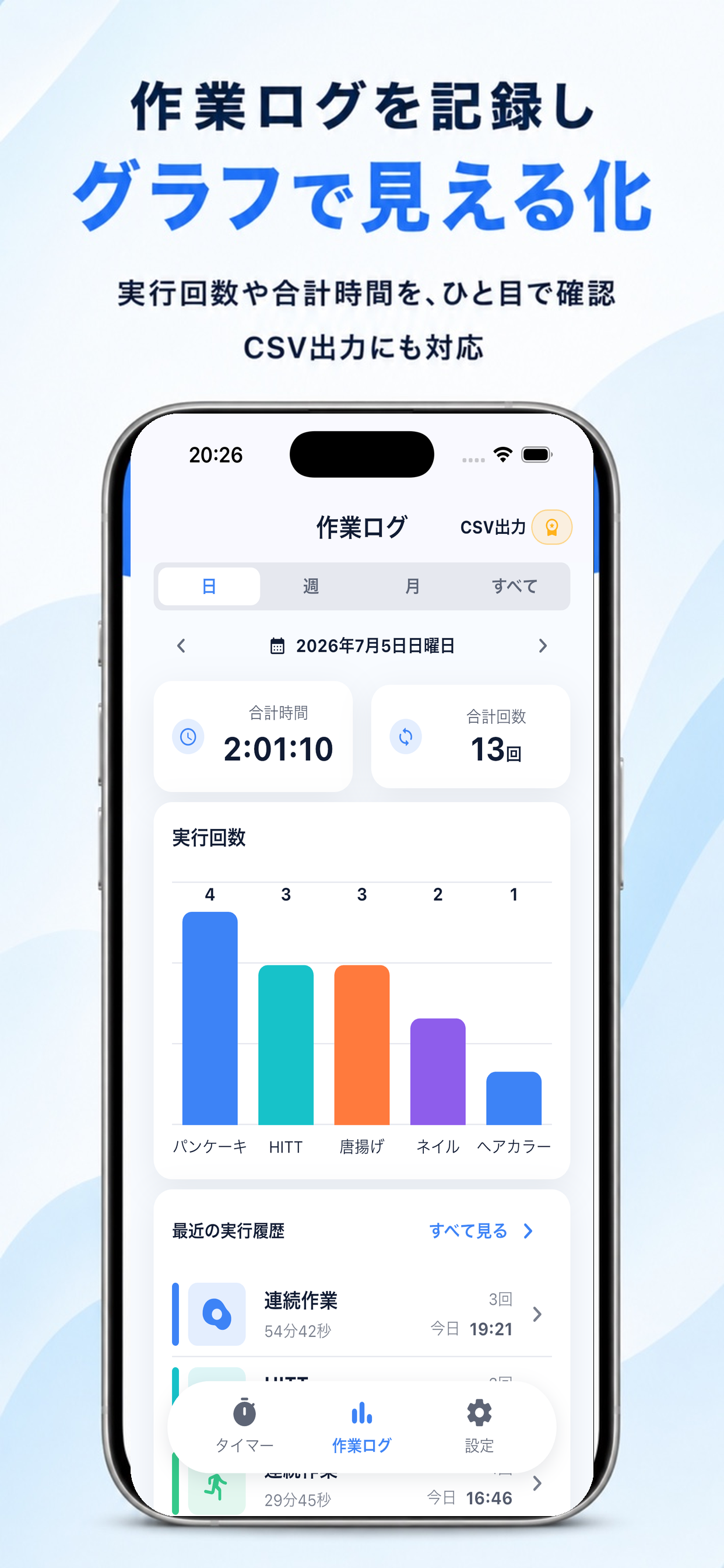
実行回数と合計時間を日・週・月で集計。作業の実態をグラフで振り返り、PremiumならCSVにも出力できます。Review run counts and total time by day, week, or month. Premium also lets you export records as CSV.
MADE FOR REAL WORK
HOW IT WORKS
工程名、時間、色、アイコンを設定して保存。Set a name, duration, color, and icon for each step.
シングルまたはマルチで開始。音声操作も使えます。Run a single or multi-timer, with voice control when needed.
回数と時間を確認して、次の作業改善へ。Check counts and time, then improve the next run.
APP SCREENS
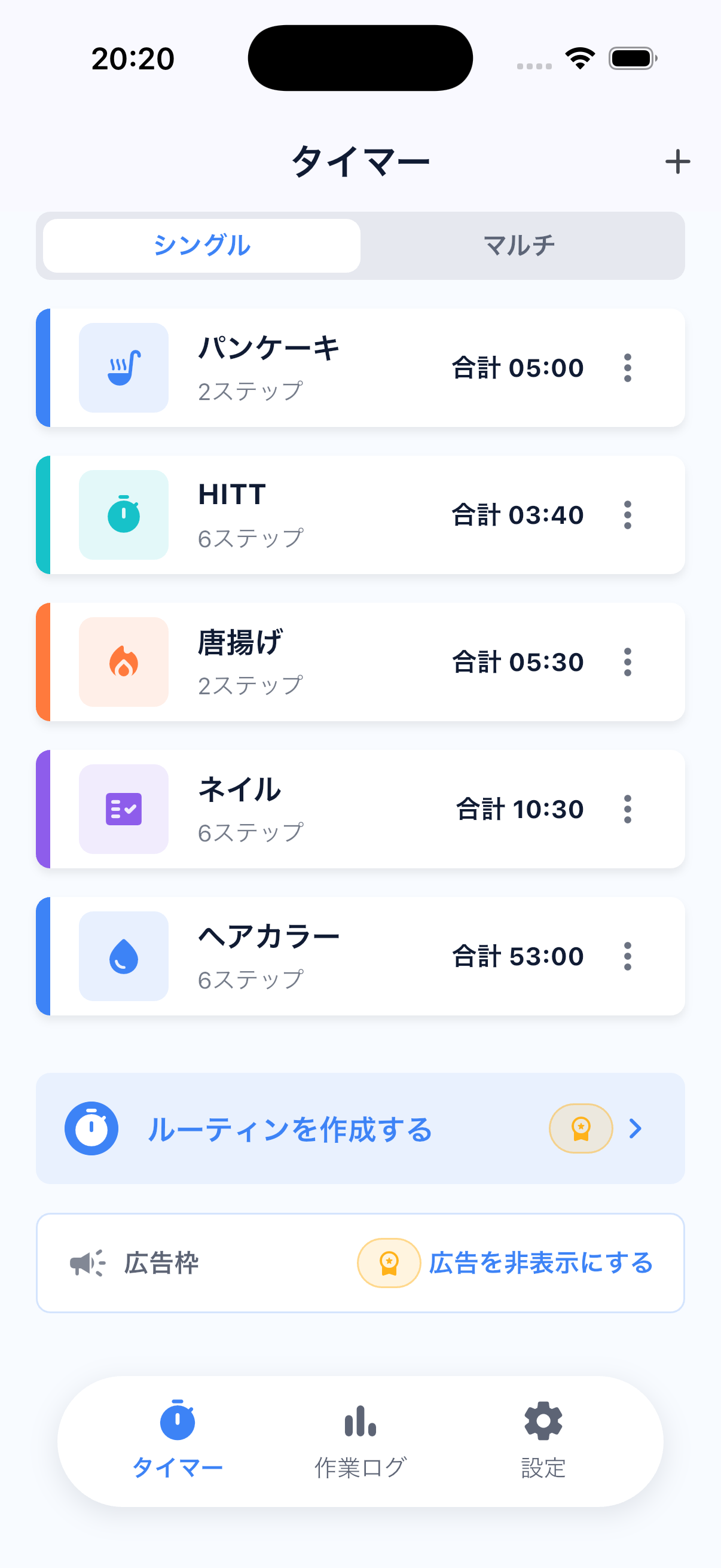
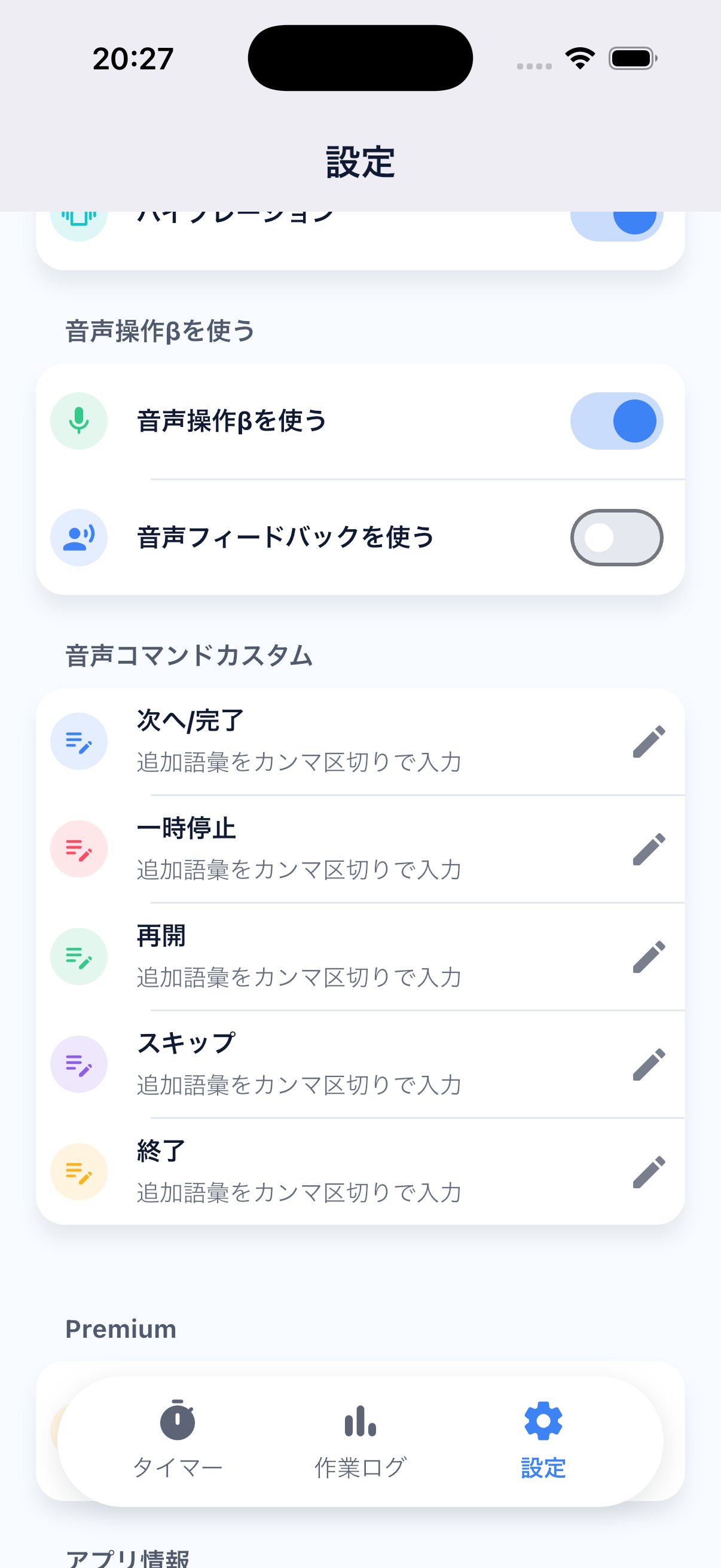
一覧、実行、マルチタイマー、設定まで一貫した見た目で操作できます。A consistent interface across lists, active timers, multi-timers, and settings.
WORKTIMER PREMIUM
必要になったときだけ、保存数・マルチタイマー・CSV出力を拡張。広告も非表示にできます。Upgrade only when you need unlimited saves, expanded multi-timers, CSV export, and an ad-free experience.
WorkTimer
FAQ
タイマー、工程、作業ログ、設定は原則として端末内に保存されます。現在、アカウント機能やクラウド同期はありません。Timers, steps, work logs, and settings are generally stored on your device. Account features and cloud sync are not currently provided.
はい。マルチタイマーで複数セッションの進行状況を1画面に並べ、個別に操作できます。Yes. Multi-timer places multiple sessions on one screen and lets you control each one independently.
音声操作を有効にすると、開始・一時停止・再開・停止などを補助できます。利用にはOSの許可が必要な場合があります。With voice control enabled, WorkTimer can assist with start, pause, resume, and stop actions. OS permission may be required.
Premiumでは、作業ログをCSV形式で出力できます。Premium lets you export work logs in CSV format.
READY FOR THE NEXT STEP?
WorkTimerで、今の工程に集中しよう。Stay focused on the step in front of you with WorkTimer.
App StoreからDownload on the工程タイマーを入手App Store